Private AI for spreadsheets and databases

Ask your AI questions about any spreadsheet, even sensitive ones.
No cloud upload required.

Connect sensitive spreadsheets to AI without uploading them. Nexus runs locally, so your files stay under your control.

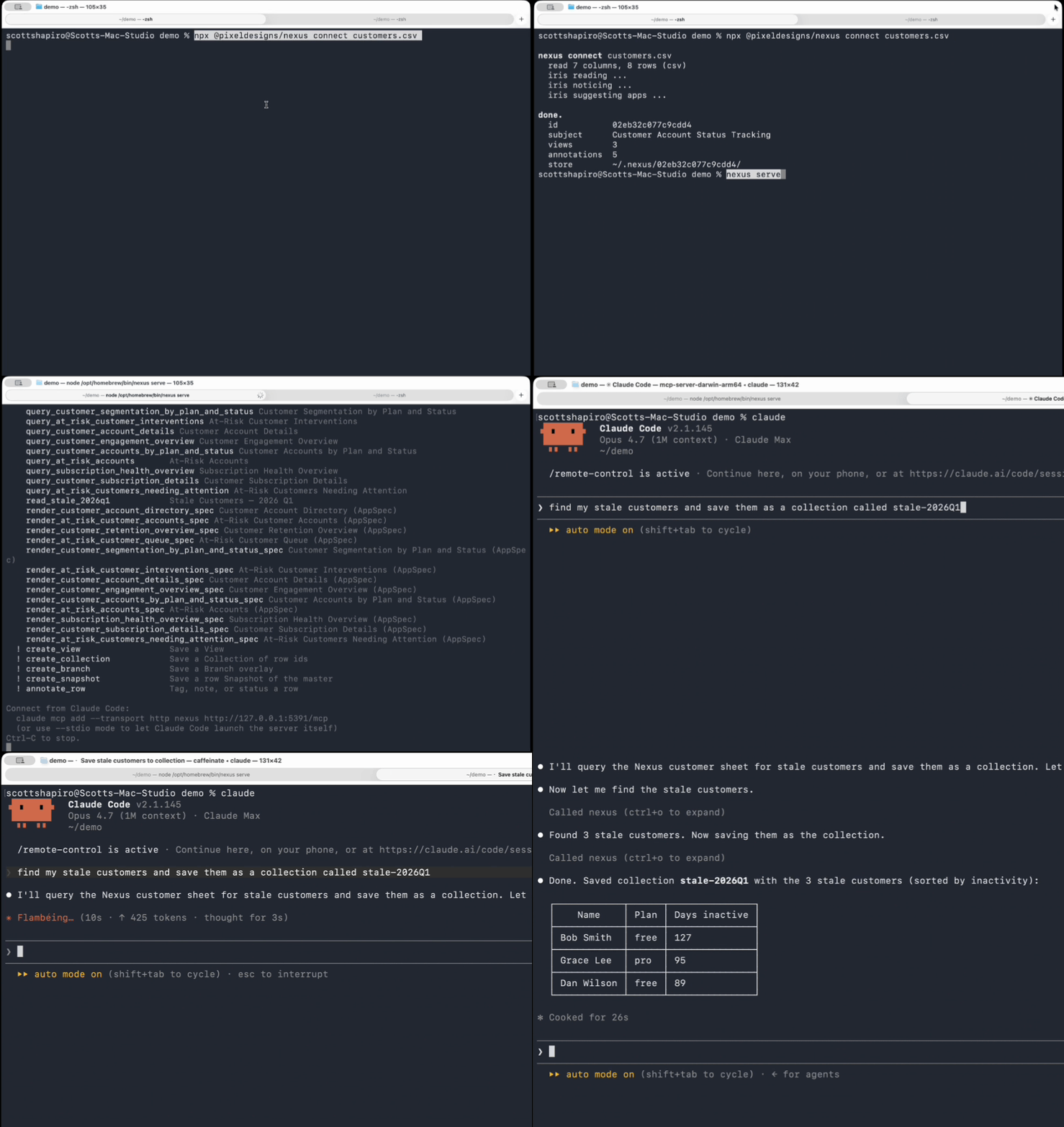
Nexus demo: connecting a spreadsheet and querying it from an AI agent
Try it locally

Install in under 60 seconds.

Use Homebrew, npm, or clone from GitHub. Nexus runs on your machine and does not upload your files.

$ brew install scottshapiro142/nexus/nexuscli
Brew handles the Node setup · Runs locally · Keeps your data private · No upload
The problem

Sensitive company data cannot just be uploaded to an AI model.

→ Today

Cloud LLMs ask you to send the data away

  • Contracts, NDAs, and internal policies often block uploading private files.
  • The most useful data is usually the data your company protects most.
  • Cloud tools create questions about storage, access, retention, and version control.
  • If the model needs the file in its cloud, the workflow stops before it starts.
→ With Nexus

Nexus lets the model work without taking the data

  • Nexus reads sheets, CSVs, and databases locally.
  • Your AI agent asks Nexus for only the answers or slices it needs.
  • Source files stay under your control and remain read-only.
  • You get LLM-powered analysis while keeping your most private data 100% on your machine.
What makes Nexus different

Nexus connects your AI agent to your data - locally.

Nexus reads your spreadsheet or database on your computer. Then your AI agent can ask for the answers it needs without uploading the whole file.

01 / No data migration

Ask questions without copying private files into another cloud

Nexus connects to Google Sheets, CSVs, Excel files, SQLite, DuckDB, FileMaker, and more where they already live. Your team gets AI answers without rebuilding the data, uploading the workbook, or creating a second system to govern.

02 / Create custom AI tools

Turn your data into safe actions your agent can call

Nexus creates custom tools from your data, like find_stale_customers() or top_opportunities(). Your agent gets useful answers without needing full access to every row.

03 / Save focused working sets

Work on the exact slice of data that matters

Save collections of specific rows, filters, and views for a project, account list, audit, or analysis. Keep the source file read-only while you explore, refine, and reuse the working set.

04 / Share answers, not datasets

Control what the agent can see and what leaves your machine

By default, your data stays local. Nexus lets you decide what the agent can query, what results can be shown, and what, if anything, gets exported.
Want to turn your Nexus results into real workflows?

Get release notes, examples, and practical guides for using local AI answers inside your actual work.

No marketing spam. Just useful Nexus updates.